
BUYING GUIDE / CURRENT RECEIVER RANGE
Compare Emlid Reach RS4 Pro, RS4, RX2 and RS3
The current Emlid range separates visual surveying, professional all-band base/rover work, lightweight rover collection and general multi-band surveying. This guide compares the specifications and then translates them into selection questions for Singapore projects.
Observed data, configuration and quality evidence remain attached through handover.
01 / PRACTICAL OVERVIEW
Where Compare GNSS receivers fits in the working system.
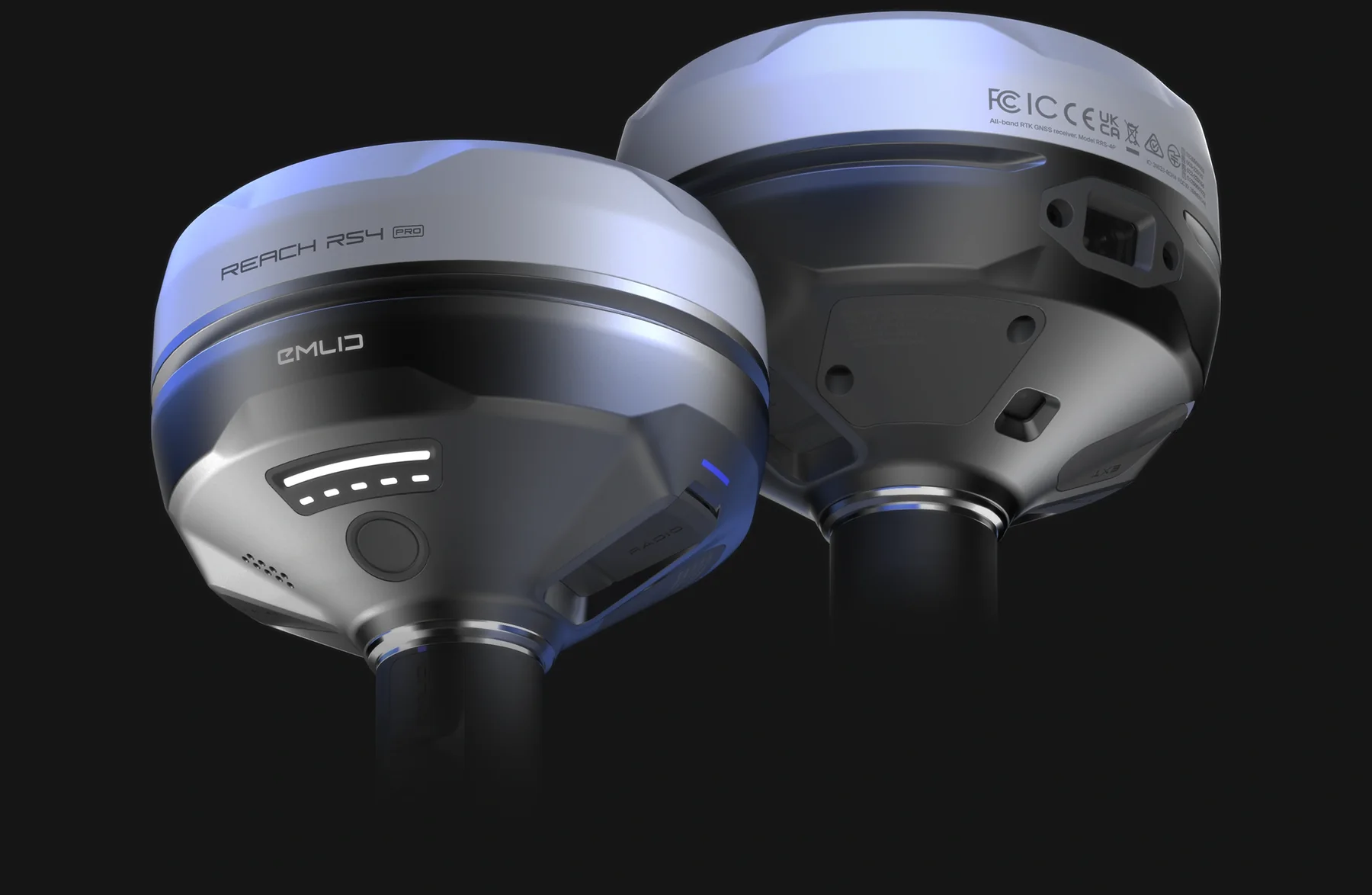
A receiver comparison should narrow the decision, not declare a universal winner. RS4 Pro is distinguished by integrated cameras; RS4 by all-band base/rover flexibility; RX2 by lightweight rover-only deployment; RS3 by established multi-band base/rover capability.
Manufacturer RTK figures are measured under stated conditions and should not be converted into a claim that all models perform identically in every environment. Correction architecture, site conditions, observation method, accessories, coordinate handling and independent QA often matter as much as the receiver headline.
02 / TECHNICAL COMPARISON
Current receiver specifications at a glance.
Manufacturer specifications reviewed on 16 November 2026. Battery figures are maxima under specified conditions, not guaranteed field duration.
| Specification | Reach RS4 Pro | Reach RS4 | Reach RX2 | Reach RS3 |
|---|---|---|---|---|
| GNSS class | All-band | All-band | All-band | Multi-band |
| Channels | 672 | 672 | 672 | 184 |
| Tilt compensation | Yes | Yes | Yes | Up to 60° |
| Integrated dual cameras | Yes | No | No | No |
| Visual capture | Yes | No | No | No |
| AR stakeout using receiver cameras | Yes | No | No | No |
| Base functionality | Yes | Yes | No | Yes |
| Rover functionality | Yes | Yes | Yes | Yes |
| IP protection | IP68 | IP68 | IP68 | IP67 |
| Battery life | Up to 16 h | Up to 16 h | Up to 16 h | Up to 18 h |
| Weight | 943 g | 927 g | 280 g | 950 g |
03 / CHOOSING THE RIGHT RECEIVER
Start with the work each model is intended to do.
Choose RS4 Pro for visual survey functions
Best starting point when AR stakeout and measurement of suitable selected points from receiver images are important alongside conventional base/rover GNSS.
Choose RS4 for all-band base/rover work
Appropriate when professional all-band positioning and flexible correction roles matter but the extra camera functions are not required.
Choose RX2 for lightweight roaming
Strong candidate for network-RTK GIS, utility asset collection and supported PIX4Dcatch iOS workflows. It cannot serve as your base.
Choose RS3 for general multi-band survey
Consider for point collection, setting out and independent base/rover work where its capabilities and field performance meet requirements.
04 / DECISION WORKFLOW
Five questions before requesting a quotation.
01 / Base or rover?
Decide whether you need to originate corrections, only receive them, or support both roles across projects.
02 / Network or independent base?
Confirm subscription coverage, connectivity and control strategy. RX2 always needs an external correction source for RTK.
03 / Which observation method?
Separate conventional pole observations, RS4 Pro image-based points and PIX4Dcatch full-scene photogrammetry.
04 / What must be delivered?
Define coordinates, heights, codes, CAD/GIS formats, drone events, point clouds and QA evidence before selecting software and accessories.
05 / What must the team learn?
Include setup, coordinate checks, field observation, troubleshooting and handover in the implementation scope.
05 / APPLICATION SHORTLIST
A starting point for a technical demonstration.
| Application | Shortlist | Essential validation |
|---|---|---|
| Construction setting-out with visual guidance | RS4 Pro | Design import, camera visibility, AR workflow and independent checks |
| General topographical and construction survey | RS4 or RS3 | Representative sky conditions, corrections and observation routine |
| Visible utility asset GIS | RX2, RS4 or RS3 | Network corrections, codes, attributes and export schema |
| PIX4Dcatch close-range GPC | RX2 + compatible iOS device | Platform support, offsets, processing and checkpoints |
| Independent base for compatible drone work | RS4, RS4 Pro or RS3 | Aircraft input, correction format, base coordinate and link |
| Onboard UAV integration | Reach M2, not a pole receiver | Power, antenna, autopilot, camera events and engineering integration |
06 / BEYOND THE TABLE
Budget for the working system.
Clarify poles, brackets, tripod and tribrach, antenna-height method, correction subscription, mobile device, transport, power, software plan and training. These items vary by workflow and should not be assumed to be included with a receiver.
Easepect can provide a model-neutral recommendation from your application and deliverables. A demonstration should use representative conditions and include a known-point check, an export and the failure conditions your operators are likely to encounter.
07 / FREQUENTLY ASKED QUESTIONS
Before choosing Compare GNSS receivers.
RS4 Pro is the starting point when camera-assisted AR stakeout is important; RS4 is the all-band base/rover option without those cameras; RS3 may suit general setting-out where its capabilities are sufficient. Validate the actual site and deliverables rather than choosing by hierarchy alone.
No. Similar nominal manufacturer RTK specifications do not establish identical field performance. Satellite visibility, multipath, correction quality, baseline, observation method and verification affect results.
RS4 Pro, RS4 and RS3 support base functionality. RX2 is rover-only. Reach M2 is an onboard integration module, not a substitute pole-mounted base kit.
Current PIX4D documentation lists RX2 as a supported external RTK receiver on compatible iOS devices. RS-series receivers can have separate base-station roles in suitable workflows but are not the documented direct PIX4Dcatch rover route.
Yes. Describe what you are surveying, the operating environment and required outputs. Easepect can help define the correction, hardware, software and training workflow without requiring you to select a model first.
LOCAL IMPLEMENTATION / SINGAPORE
Not sure which Emlid receiver suits your project?
Tell us what you are surveying, your operating environment and required deliverables. Model selection is optional; Easepect can help identify a suitable hardware and software workflow.